How to Deploy PocketBase to Cloud Run
It is now possible to run PocketBase on Google CloudRun because of the recent support for mounting volumes. This is a guide on how to deploy PocketBase on Google Cloud Run.
Features
- •Scale to zero
- •Infinite storage (and file deletion protection, file versions, and multi region)
- •
pb_data/pb_public/pb_hooksall in the same file system - •Backups can be done either by PocketBase or by protecting the bucket
Prerequisites
- •Google Cloud project
- •Google Cloud Storage bucket
Getting Started
Fork this repository or click "Use this template" to create your own repository.
Steps
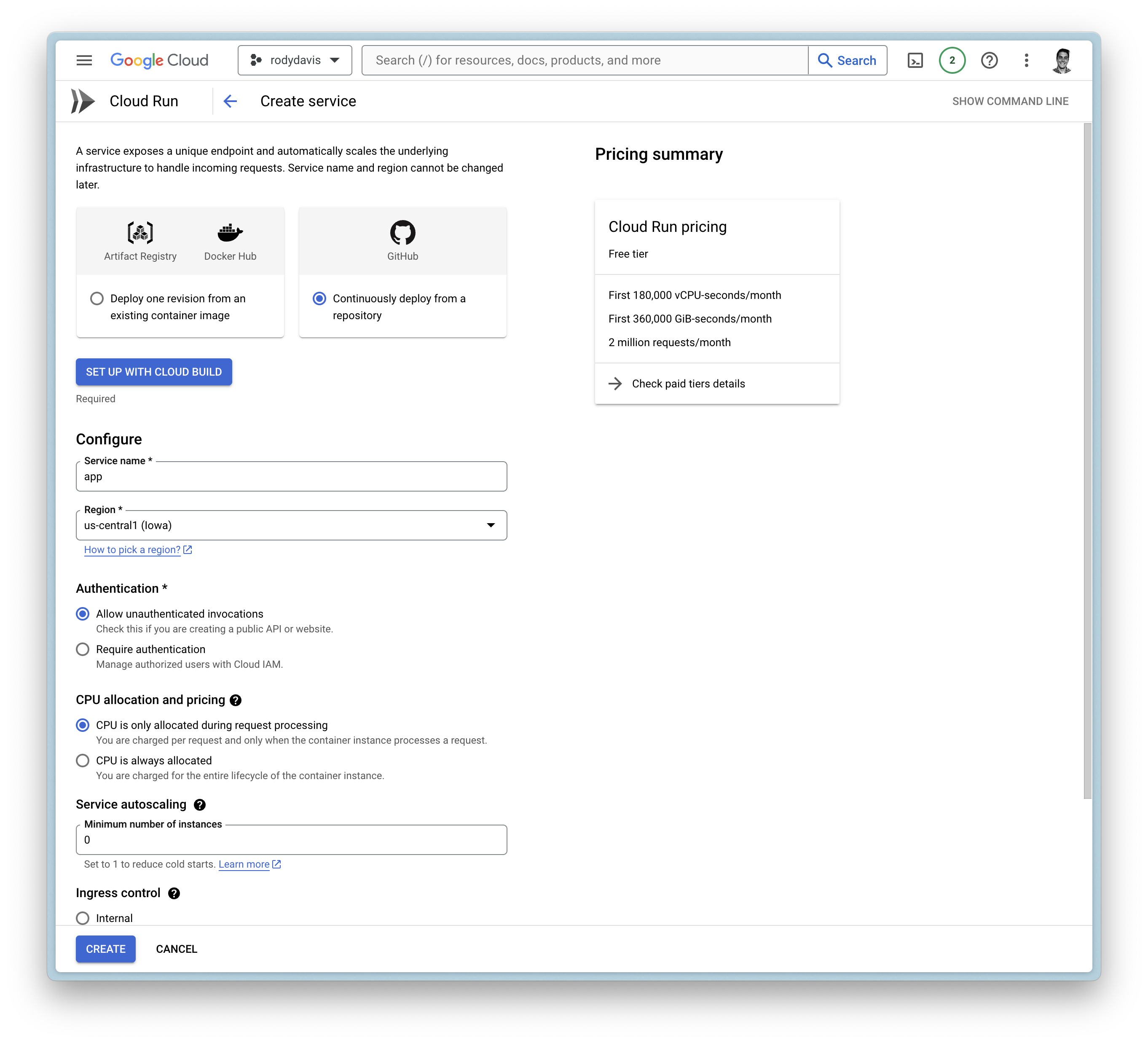
Create a new service
Google Cloud Build
- •Setup with Cloud Build
- •Repository Provider:
GitHub - •Select Repository:
THIS_REPOSITORY_FORK
- •Repository Provider:
- •Branch:
main - •Build Configuration:
Dockerfile
General Settings
- •Allow unauthenticated invocations
- •CPU is only allocated when the service is handling requests
- •Maximum number of requests per container is set to
1000 - •Maximum number of containers is set to
1 - •Timeout is set to
3600 - •Ingress is set to internal and
alltraffic
Container(s), Volumes, Networking, Security
Volumes
- •Add volume
- •Volume type:
Google Storage bucket - •Volume name:
remote-storage (or any name you want) - •Bucket:
YOUR_BUCKET_NAME - •Read-only:
false
- •Volume type:
Container(s)
- •Startup CPU boost is
enabled - •Volume mount (s)
- •Volume name:
remote-storage - •Mount path:
/cloud/storage
- •Volume name:
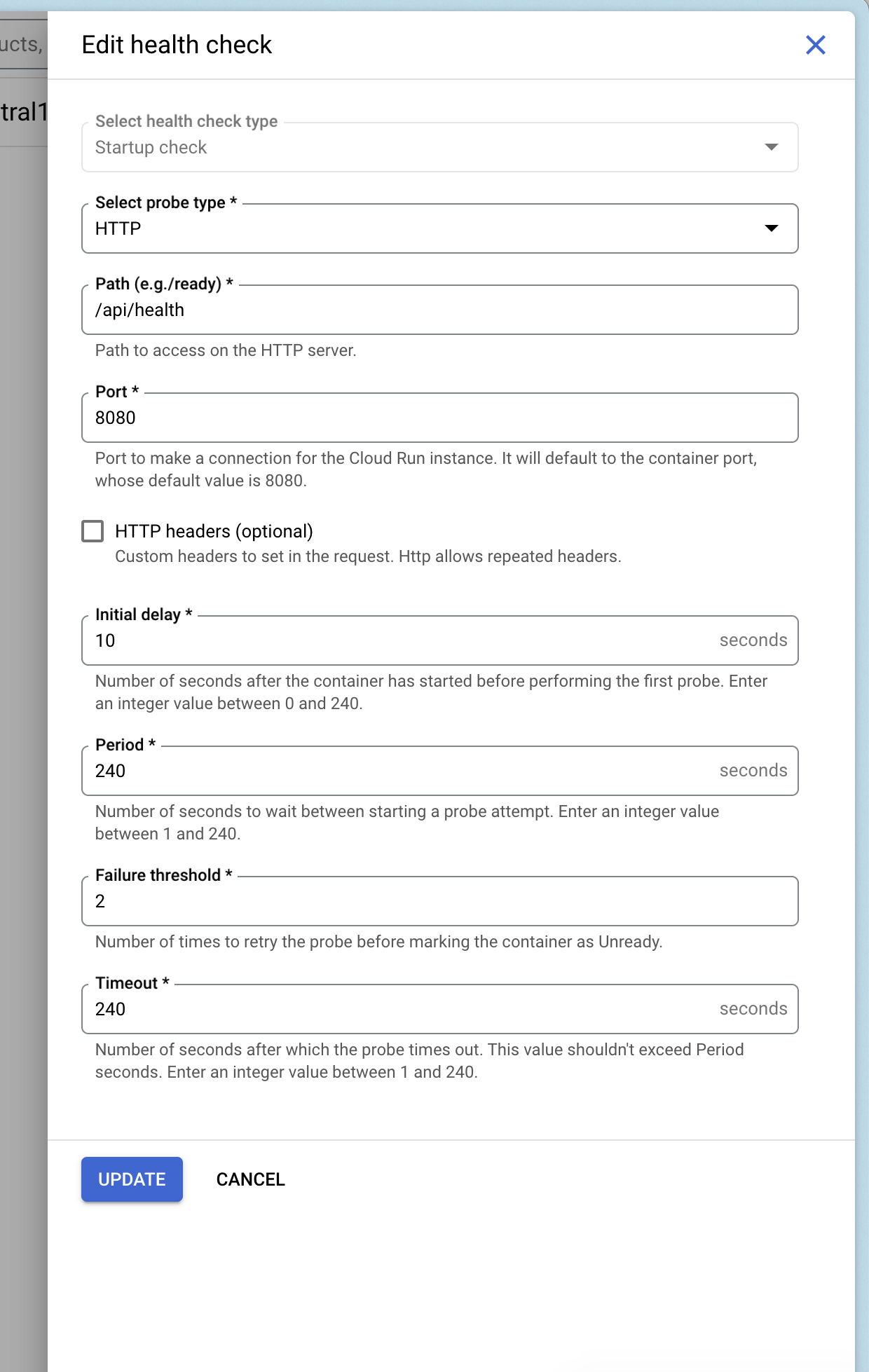
Add Health Checks
You can add a health check to your service that uses Pocketbase's health check endpoint /api/health.
Deploy and Wait
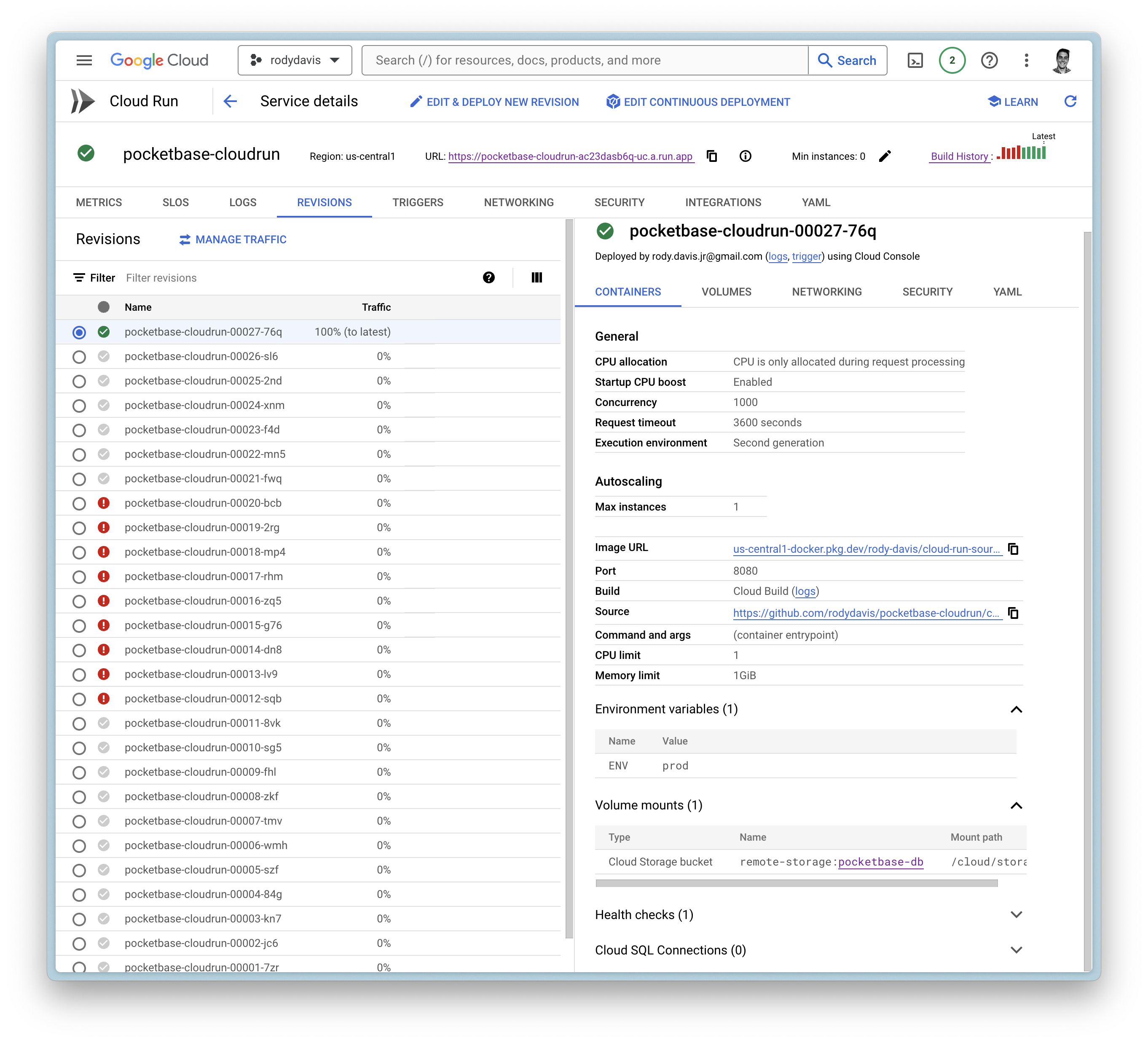
Now create the service and wait for the cloud build to finish.
If everything goes well, you should see the service deployed.
FAQ
What if I have local files that I want to use?
pb_data, pb_public, and pb_hooks are all directories you might use during development.
You can upload these directories to your Google Cloud Storage bucket you created earlier to the root directory.
Can I use a custom domain?
Yes, you can use a custom domain. You can follow the guide on the official documentation.